'/%3E%3Cpath%20fill='%23b2b2b2'%20d='M241%20382q0%2016%2017%2026%2017%2011%2042%2011t42-11q16-11%2017-26V269H241'/%3E%3Cpath%20fill='%239f7e00'%20d='M241%20379q0%2014%208%2023%209%209%2021%209%2014%200%2021-9%209-9%209-23V269h-59'/%3E%3Cpath%20d='M241%20339v-70h59v110q0%2014-9%2023l-6%205v-68h-15v72q-8%200-14-4v-68zm59%2040c0%2022%2015%2032%2029%2032%2021%200%2030-18%2030-32v-40h-59'/%3E%3Cpath%20fill='%239f7e00'%20d='M266%20277v5h2v12h-3v-5h2v-5h-9v5h2v5h-4v9h3v18h-5v10h34v-10h-5v-18h3v-9h-4v-5h2v-5h-9v5h2v5h-3v-12h2v-5zm42%20101q0%2010%206%2017%206%206%2015%207%2010-1%2016-7%206-7%206-17v-29h-43'/%3E%3Ccircle%20fill='%230044ad'%20cx='329.5'%20cy='372'%20r='6'/%3E%3Cellipse%20fill='%230044ad'%20cx='300'%20cy='340'%20rx='16'%20ry='21'/%3E%3C/svg%3E)

Beacon offers different types of responder workflows to navigate responders through incidents:
- Patient Transport (e.g., paramedics, EMTs)
- Response Only (e.g., firefighters, search and rescue, community responders)
- Animal Transport (e.g., animal rescue, animal control)
- Transfer / Delivery (e.g, inter-facility transfers, dialysis, supply)
- Notification Only * (e.g, for agencies that only need Responders to acknowledge)
The Responder Type can be changed by Managers on the web pages and by Responders on the mobile app Settings page.
The four main responder workflows will send a series of messages in sequence to the Responder when assigned to an active incident. Message sequence differs based on the responder type selected. See the table graphic below for mor details:
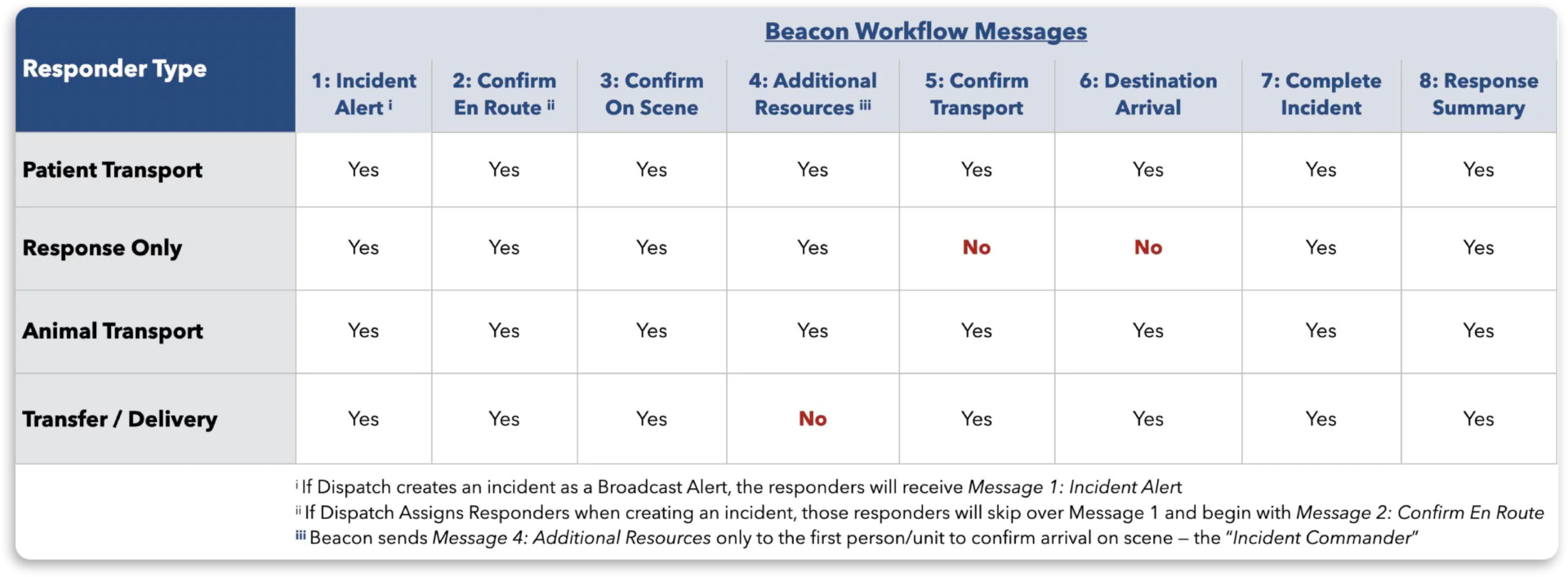
* Note that Notification Only is not included in the main group for workflow messages. Continue to the next section below to understand how this responder type works when receiving incident alerts.
New Responder Type: Notification Only
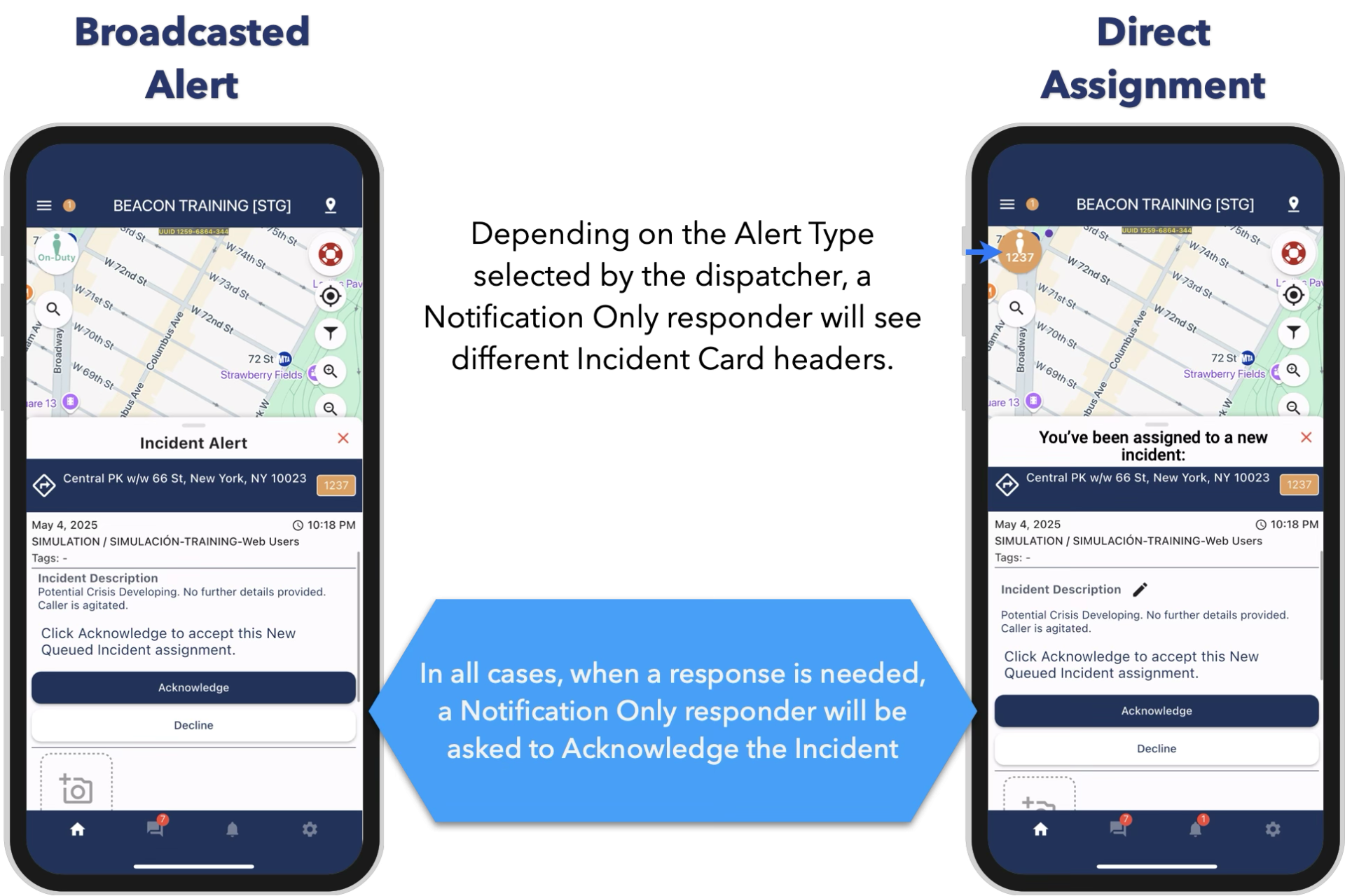
The Notification Only type is for agencies that only need Responders to acknowledge the alerts and don’t need them to go through the full response workflow.
What will responders see when receiving incident alerts?
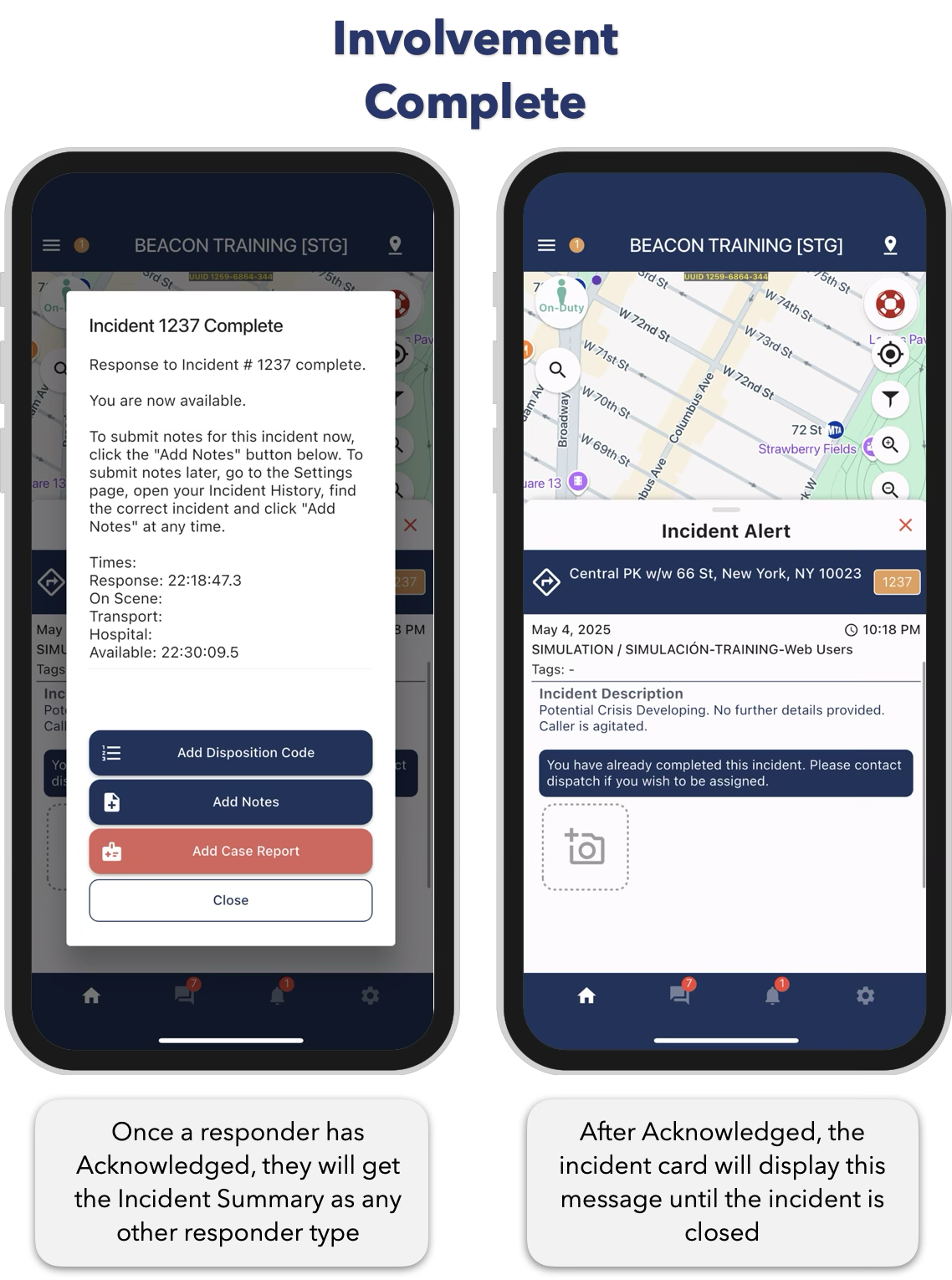
Once a responder has Acknowledged, they will get the Incident Summary as any other responder type. If the incident remains active after the responder has Acknowledged, the incident card will display a message letting them know they have already interacted with this incident.